Choosing the right TV stand height affects comfort, posture, safety, and the room’s visual balance. Many homeowners ask, “what is the standard height for a living room TV stand?” The honest answer is that no single height fits every room. The best measurement depends on sofa height, screen size, viewing distance, and whether the television is mounted or placed directly on furniture.
Professional home theater guidance usually prioritizes eye-level viewing. CEDIA installation principles and THX viewing recommendations support positioning the screen’s central area near the viewer’s seated eye line. This reduces unnecessary neck movement during long viewing sessions. Nielsen’s 2024 State of Play research also shows how television remains central to daily media use, despite the growth of streaming platforms. More screen time makes small ergonomic mistakes more noticeable.
A practical starting point is a 20-to-24-inch TV stand, but this is not a rule. Measure from the floor to your eyes while sitting naturally. Then place the screen’s center close to that height. A thick rug, deep sofa, or low lounge chair can change the result by several inches. Test it with a cardboard screen mock-up first. That simple step prevents expensive guesswork.
I have seen attractive setups fail because appearance came before comfort. A perfectly styled stand may still force viewers to tilt their heads upward. Room layouts are rarely perfect. Careful measurement matters more than following a popular number.
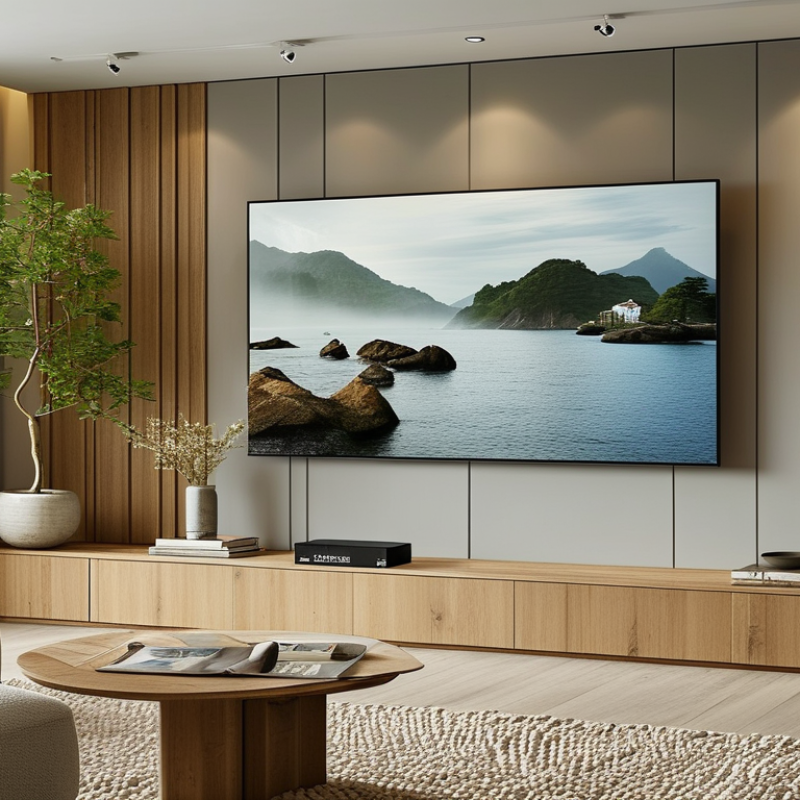
How to Choose the Standard Height for a Living Room TV Stand
The ideal TV stand height begins with your seated eye level, not a fixed furniture measurement. When you sit normally, your eyes should meet the middle third of the screen. This position helps reduce neck strain during longer viewing sessions. In many living rooms, a stand between 20 and 28 inches works well. However, your sofa height and television size can change that result.
Measure from the floor to your eyes while seated. Then measure the screen’s height and divide it by two. Subtract that number from your eye-level measurement to estimate the stand’s top height. For example, if your seated eye level is 42 inches and half the screen height is 16 inches, a 26-inch stand may suit you. Leave enough space for ventilation and stable placement. A narrow or unstable stand creates unnecessary risk.
Tips: Sit in your usual viewing position before buying furniture. Use a cardboard screen outline if needed. Check for glare during daytime and evening hours. I once selected a stand that looked attractive but sat too low, so comfort suffered after an hour. That mistake taught me to test proportions, not trust appearance alone. A slightly imperfect height may still work if your screen tilts gently and your posture remains relaxed. Keep the viewing angle natural. Avoid forcing your chin upward.
Understanding the ideal TV stand height for comfortable viewing
The recommended stand height is calculated for a seated eye level of approximately 42 inches and a 16:9 television. The goal is to place the center of the screen close to eye level, reducing neck strain during extended viewing. Larger screens generally require shorter TV stands because their screens are taller.
How to Choose the Standard Height for a Living Room TV Stand
Measuring Your Room and TV for the Right Stand Dimensions
Measure from the floor to your seated eye level, not your standing height. Your eyes should meet the screen’s center or sit slightly below it. A simple formula works well: stand height equals seated eye height minus half the TV’s height. For a 55-inch, 16:9 television, the screen is about 27 inches tall. If your seated eye level is 42 inches, a stand near 28.5 inches may fit. Check the television’s actual specifications. Bezel sizes vary.
Measure the wall, sofa, walking paths, and electrical outlet before buying. Leave several inches around the stand for airflow and cable bends. The Consumer Technology Association’s 2024 U.S. Consumer Technology Ownership Study reported that televisions remain common household devices, but room layouts still control comfortable use. A large screen does not justify blocking a doorway. It happens more often than people admit.
Viewing distance matters too. SMPTE recommends a horizontal viewing angle near 30 degrees for an immersive image. Nielsen’s July 2024 Gauge report recorded streaming at 41.4% of television usage, showing how much time many households spend watching. That makes posture important. Sit on the sofa, hold a cardboard screen at the intended height, and test it for ten minutes. My first measurement usually feels slightly low. That is useful feedback, not failure. Recheck before drilling or ordering furniture.
| Measurement Area | How to Measure | Recommended Target | Why It Matters |
|---|---|---|---|
| Core Height Calculation | |||
| Seated eye height | Measure vertically from the floor to the viewer's eye level while seated in the main viewing position. | Approximately 40–48 in (102–122 cm) for many sofas and lounge chairs | This is the most useful starting point for positioning the center of the TV screen. |
| TV screen height | Measure the visible screen from the bottom edge to the top edge, excluding the stand and surrounding furniture. | Use the actual TV measurement rather than relying only on the advertised diagonal size. | Screen height determines how much space is needed above and below the screen center. |
| Ideal TV center height | Use the seated eye-height measurement as the target for the horizontal center of the screen. | TV center should be close to seated eye level; a small upward angle is acceptable. | Keeping the center near eye level helps reduce neck strain during extended viewing. |
| TV stand height formula | Subtract half of the TV screen height and the desired clearance from the seated eye height. | Stand height = seated eye height − half TV height − screen-to-stand clearance | This formula helps select a stand that places the screen at a comfortable viewing height. |
| Screen-to-stand clearance | Measure the gap between the top surface of the stand and the bottom edge of the TV. | 2–6 in (5–15 cm) | A modest gap leaves room for airflow, sound equipment, and visual balance without raising the TV too high. |
| Typical TV and Stand Dimensions | |||
| 43-inch TV | Typical screen size is about 37.5 in wide × 21.1 in high (95.3 × 53.6 cm), excluding the bezel and stand. | Suggested stand height: 20–27 in (51–69 cm) Suggested stand width: 40–48 in (102–122 cm) |
Suitable for compact living rooms, apartments, and shorter seating arrangements. |
| 50-inch TV | Typical screen size is about 43.6 in wide × 24.5 in high (110.7 × 62.2 cm), excluding the bezel and stand. | Suggested stand height: 18–26 in (46–66 cm) Suggested stand width: 46–56 in (117–142 cm) |
Provides a balanced proportion for many standard-size living rooms. |
| 55-inch TV | Typical screen size is about 47.9 in wide × 27.0 in high (121.7 × 68.6 cm), excluding the bezel and stand. | Suggested stand height: 18–25 in (46–64 cm) Suggested stand width: 50–60 in (127–152 cm) |
A wider stand improves visual stability and creates space for media components. |
| 65-inch TV | Typical screen size is about 56.7 in wide × 31.9 in high (144.0 × 81.0 cm), excluding the bezel and stand. | Suggested stand height: 16–24 in (41–61 cm) Suggested stand width: 58–70 in (147–178 cm) |
A larger screen generally requires a lower stand so its center does not sit too high. |
| 75-inch TV | Typical screen size is about 65.4 in wide × 36.8 in high (166.1 × 93.5 cm), excluding the bezel and stand. | Suggested stand height: 14–22 in (36–56 cm) Suggested stand width: 68–80 in (173–203 cm) |
Extra width helps support the visual scale of the screen and improves overall room proportion. |
| Stand Width, Depth, and Room Fit | |||
| Stand width relative to TV | Compare the stand's usable top width with the TV's total outside width, including the bezel. | Choose a stand at least 2–6 in (5–15 cm) wider on each side when space allows. | A slightly wider stand provides a more stable appearance and room for accessories. |
| Stand depth | Measure from the front edge to the back edge of the furniture and compare it with the TV base depth. | Allow at least 2–4 in (5–10 cm) of extra depth beyond the TV feet or base. | Extra depth reduces the risk of overhang and leaves room for cables and ventilation. |
| TV base footprint | Measure the full width and depth of the TV's included feet or center pedestal. | The base must fit completely on the stand's load-bearing surface. | Never rely only on the screen's diagonal measurement when checking furniture compatibility. |
| Wall and walkway clearance | Measure the distance from the stand to nearby walls, doors, windows, and walking paths. | Keep the stand clear of doors and maintain a comfortable, unobstructed walkway. | This prevents collisions and makes the living room easier and safer to use. |
| Viewing Distance and Final Safety Checks | |||
| Viewing distance | Measure from the viewer's eye position to the approximate plane of the TV screen. | Common comfortable ranges are about 6–9 ft (1.8–2.7 m) for a 55-inch TV and 7–10.5 ft (2.1–3.2 m) for a 65-inch TV. | The correct distance depends on screen resolution, personal preference, and how immersive the image feels. |
| Soundbar clearance | Measure the soundbar height and check whether it blocks the lower edge or remote-control sensor. | Leave enough vertical space for the soundbar and maintain a clear path to the TV sensor. | Placement should support clear sound without forcing the TV higher than the preferred eye level. |
| Ventilation space | Check the TV and equipment instructions for required ventilation around vents and components. | Do not cover ventilation openings; leave open space around heat-producing devices. | Proper airflow helps reduce heat buildup and supports reliable operation. |
| Weight capacity | Compare the combined weight of the TV, soundbar, and accessories with the stand's stated load capacity. | Choose a stand rated above the total installed weight, with the TV positioned securely. | A suitable load rating reduces the risk of tipping, structural failure, or surface damage. |
| Anti-tip protection | Inspect whether the stand and TV can be secured to a wall or other approved anchor point. | Use anti-tip hardware whenever possible, especially in homes with children or pets. | Anchoring helps prevent furniture and TV tip-over accidents. |
| Final measurement checklist | Record seated eye height, TV width and height, TV base footprint, stand width and depth, clearance, and viewing distance. | Confirm every measurement before purchasing or assembling the stand. | Measuring the complete setup prevents poor proportions, blocked access, and compatibility problems. |
The right TV stand height begins with your seating, not a fixed furniture rule. Sit in your usual position and measure from the floor to your eyes. Your gaze should meet the screen’s center or sit slightly below it. This position helps reduce neck strain during long viewing sessions. A standard stand height often falls between 20 and 30 inches, but room layout matters more than the average.
Measure your television’s actual height, including its feet if they rest on the stand. Subtract half that height from your seated eye level. For example, if your eyes sit 42 inches above the floor and the screen measures 24 inches tall, the stand surface may need to sit near 30 inches. A lower position may feel better with a deep sofa. Recliners can change everything. I once chose a stand from a standing measurement, and the screen felt too low after sitting down.
Tips: Place a temporary box at the planned height before buying furniture. Watch for ten minutes. Check your neck, eye level, and screen reflections. Leave enough space for ventilation and cables. If children or pets use the room, secure the television properly. Comfort should guide the final decision, though personal preference can still challenge the measurement.
A living room TV stand should support comfortable eye level, not just visual symmetry. Measure your eye height while seated in the sofa. The screen’s center should sit close to that point, or slightly above it. A 24- to 30-inch stand often suits a 55- to 65-inch television. However, screen thickness, legs, and stand design can change the final height. Leave enough space for the screen without making it look perched.
Screen size affects both stand height and viewing distance. A larger screen extends farther downward, so it may need a lower stand. For a 65-inch screen, eight to ten feet can be a practical starting distance in many rooms. Sit in your usual position and check your neck angle. If you tilt your chin upward, the setup is probably too high. If the screen feels unusually small, move the seat before replacing the furniture. Small adjustments matter.
Room layout can challenge the measurement. Keep the stand away from busy walkways and avoid placing the screen directly opposite bright windows. Check the viewing angle from every commonly used seat, not only the main sofa. I once chose a stand by measuring the wall alone. It fit perfectly, yet the screen caught afternoon glare and felt too high. That mistake taught me to measure the room in use, with curtains open and people seated. A tidy layout is not always a comfortable one.
A living room TV stand usually measures 20 to 28 inches high. The best height depends on sofa height, screen size, and viewing distance. Sit naturally and aim for the screen’s center near eye level. A slight upward angle is acceptable, but neck strain suggests poor planning. In my own installation, I measured the wall first and still underestimated cable depth. That mistake pushed the stand farther forward than planned.
Measure twice.
Safety should guide the final decision. Choose a stand that supports the television’s full weight and width. Check its load rating carefully, including stored equipment. Secure the television when children or pets share the room. Use suitable wall anchors or attach the stand to wall studs. Do not rely on drywall alone. Keep heavy items in lower compartments to reduce tipping risk. Leave ventilation space around consoles and power equipment. Crowded shelves can trap heat and damage electronics.
Storage also affects practical height. Open shelves provide quick access, while doors hide dust and cables. Keep frequently used controls within reach, not behind stacked devices. Before installation, locate outlets, cable routes, baseboards, and uneven flooring. A level surface prevents gradual leaning. Check cabinet doors after positioning the stand. They may strike the sofa or wall. I sometimes prioritize clean appearance too much, then regret limited airflow. A slightly wider stand may work better than a taller one. Every room has compromises.
: Sit on your usual sofa and measure from the floor to your eyes. Your seated eye level matters most. Subtract half the television’s actual height. The result estimates the stand surface height.
Many stands measure between 20 and 30 inches high. This range is only a starting point. A deep sofa or recliner may require a lower screen. Comfort should decide the final height.
Your eyes should meet the screen’s center or sit slightly below it. This position can reduce neck strain. Avoid measuring while standing. That mistake is easy to make.
Suppose your seated eye level is 42 inches. If the screen is 24 inches tall, subtract 12 inches. The stand surface may sit near 30 inches. Check the television’s actual measurements first.
Yes, include the feet if they rest on the stand. Measure from the stand surface to the screen’s top. Foot height can change the final viewing position. Small details matter.
Place a sturdy box at the planned height. Sit on the sofa and watch for ten minutes. Check your neck, eye level, and screen reflections. A cardboard screen can make the test more realistic.
Measure the wall, sofa, walking paths, and electrical outlet. Leave several inches for airflow and cable bends. Do not block a doorway. It happens surprisingly often.
Yes, viewing distance affects comfort and immersion. A horizontal viewing angle near 30 degrees is often recommended. Test the arrangement from your normal seat. The room may disagree with the screen size.
Secure the television properly to reduce tipping risks. Keep cables managed and walking paths clear. A beautiful stand is not enough. Safety deserves the final decision.
Choosing the right TV stand height is essential for comfortable viewing, balanced room design, and everyday practicality. If you are asking, “what is the standard height for a living room TV stand,” a useful starting point is to position the center of the screen close to seated eye level. However, the ideal height depends on your sofa, chair height, TV size, and viewing distance. Measure the room, the television, and the available wall or floor space before selecting a stand to ensure proper proportions and clear sightlines.
Consider how the stand will work with your seating arrangement and overall room layout. A larger screen or longer viewing distance may require a different setup, while limited space may call for a lower or more compact unit. Also check that the stand can safely support the TV, provide enough storage, allow ventilation, and accommodate cables and installation needs. These measurements and practical details will help create a comfortable, secure, and visually balanced living room.

Captain Living